CaseNet MO Litigant Name Search
-
Litigant Name Search is used when the case number is not available and the user only knows the name of a person, business, or organization involved in the case
-
The Last Name field is required with at least 2 characters, and optional filters like first name, middle initial, case type, filing year, or court location help narrow broad results
-
Only public records appear in results. Some paternity, juvenile, and protection order cases may be hidden, and the search does not work for judge or attorney names
Litigant Name Search in CaseNet MO helps users find court cases by the name of a person, business, or organization involved in a case. It is useful when the exact case number is not available and the user knows the last name or the beginning of the last name.
This page explains how Missouri CaseNet Litigant Name Search works, what details can be entered, how to narrow results, and what users should know when searching public Missouri court records.
What is Litigant Name Search?
Litigant Name Search is a CaseNet MO search method used to find public court cases by the name of a case party.
A litigant may be:
- A person
- A business
- An organization
This search applies to parties in a case only. It does not search by judge or attorney name.
How Litigant Name Search Works
This search is mainly based on the Last Name field. Users can enter the full last name or the beginning of the last name to search public case records.
The same field may also be used for a business or organization name when it appears as a litigant in the case.
Required Information
The Last Name field is required to run this search.
Users can enter:
- A full last name
- The first part of a last name
- A business or organization name listed in the case
At least 2 characters are required before the search can be submitted.
Search for Cases In
CaseNet allows users to search in:
- All Participating Courts
- A specific circuit
- An appellate court location
- A selected county or court option
The search page usually starts with All Participating Courts. If the correct court is already known, choosing that location can help reduce broad results.
Include Alias Information
CaseNet also includes an alias option.
If selected, the search may also check alternate or alias names connected with a litigant.
Optional Search Fields
Extra search fields can help narrow results.
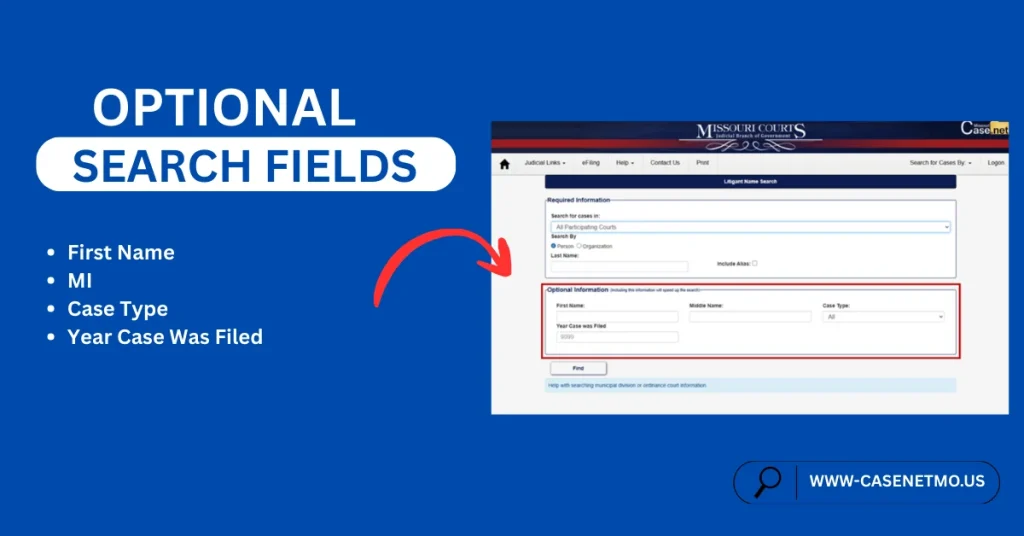
First Name
The first name field can be added to reduce broad matches. Users may enter the full first name or only the opening letters.
MI
The middle initial field allows only one letter and can help separate similar names.
Case Type
The case type filter helps limit results by category.
Available options may include:
- All
- Civil
- Criminal
- Probate
- Traffic/Municipal
- Infraction
Year Case Was Filed
This field lets users narrow results by filing year. The year must be entered in full 4-digit format.
Case Status Options
Case status can be used to filter results by whether a case is still open or already completed.
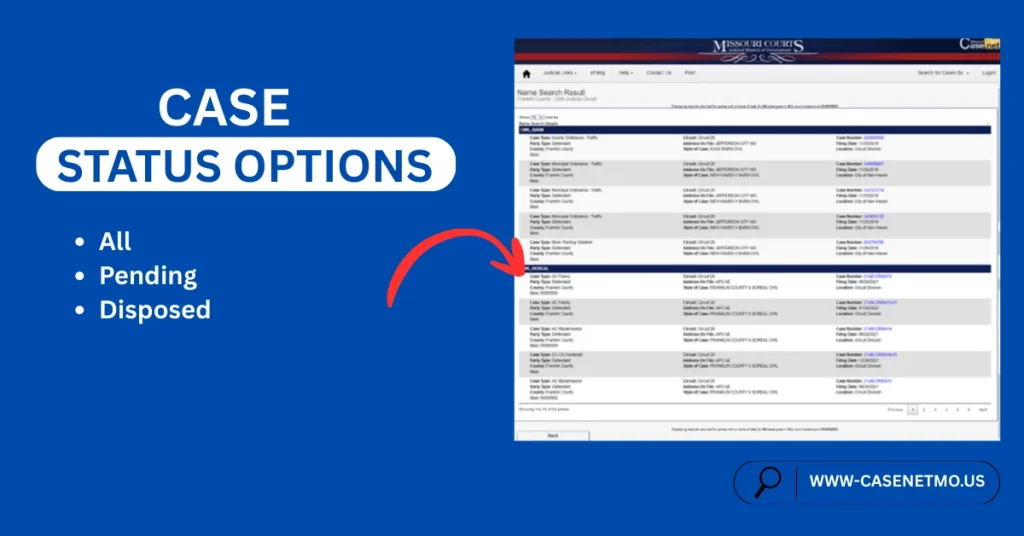
The options may include:
- All
- Pending
- Disposed
Location Filter
The location filter can narrow results further within a selected court area.
This option is generally available when the search is not being run across All Participating Courts.
How to Use Case NetLitigant Name Search
To search by litigant name in CaseNet MO:
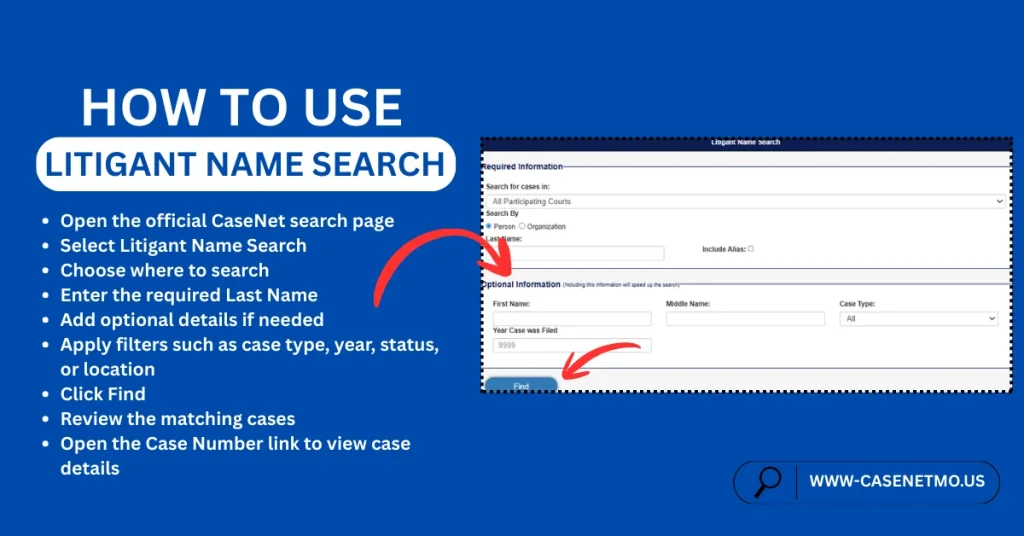
- Open the official CaseNet search page
- Select Litigant Name Search
- Choose where to search
- Enter the required Last Name
- Add optional details if needed
- Apply filters such as case type, year, status, or location
- Click Find
- Review the matching cases
- Open the Case Number link to view case details
Why Search Results May Be Too Broad
Some names may return too many results.
If that happens, CaseNet may ask the user to narrow the search by adding more information, such as:
- First name
- Middle initial
- Case type
- Filing year
- Location
- Status
What Happens After the Search
After the search is submitted, CaseNet shows a list of matching public cases.
Users can then select the Case Number link to open more detailed case information.
Important Exceptions
Not every case appears the same way in MO Case Net Litigant Name Search results.
Some case types have public display limits. In certain situations:
- Some paternity-related records may not appear in the usual way
- Some protection order details may be limited
- Dismissed protection order cases may not appear in this search
- Some records may appear only when a judgment exists
Because of these rules, users may not always see every case they expect in name search results.
Important Notes
- Litigant Name Search is for case parties only
- It does not search by judge or attorney name
- At least 2 characters are required in the last name field
- Optional filters can help narrow results
Some case types have public display limits
FAQs – Frequently Asked Questions
What is a litigant in CaseNet MO?
A litigant is a person, business, or organization that is a party in a court case.
Can I search by only part of a last name?
Yes. CaseNet allows users to enter the full last name or the beginning part of the last name.
Can I search for a business name?
Yes. A business or organization name may be entered when it is listed as a litigant in the case.
Why is my search too broad?
This can happen when the name returns too many matches. Adding more details can help narrow the results.
Can I use first name and middle initial too?
Yes. These optional fields can help refine the results.
What happens after I click Find?
CaseNet shows a list of matching public cases. You can then open the Case Number link to view more details.
Why are some cases missing from the results?
Some records have display limits based on case type, privacy rules, or judgment status.
About The Author
I am Christopher Taylor. I written this guide based on my personal experience. My intention is to provide helpful information about CaseNet and explain complicated terminology in a simple way.
I am not an official person, neither someone linked with official sources. My intention is purely to provide helpful information and, in return, earn some money from ads. If you need any legal advice, please contact directly to Missouri CaseNet Official Website.
If you would like to give feedback, please feel free to reach out to me at talktowendys36@gmail.com.
Regards,
Christopher Taylor